

- Home
- About Us
- Our Product
- Spy Camera
- Hidden Voice Recorders
- Listening Devices (Bugging Devices GSM)
- Anti Terrorism
- Body Armour
- Bug Detectors
- CCTV Cameras /CCTV Spy Cameras
- DVR & NVR Recorders
- Communication Two Way Radios
- Covert Bluetooth Communications
- 4G Camera/Sim Card
- Listen Through Wall Devices
- Memory Cards / Adapters / Batteries
- Mobile Call recording
- Mobile Tracking Devices
- Night Vision
- RFID Protection Bags
- Safe / Stash Cans
- Satellite Phones
- Telephone Recording
- Two Way Radio Coms Earpieces
- Two Way Radios
- Vehicle Spy Tracking Devices
- Wildlife Surveillance
- Delivery
- Why Buy From Us?
- Privacy Policy
- Video & Support
- Blog
- Contact Us

- Home
- Everything You Need to Know About USB-C Accessories and Devices
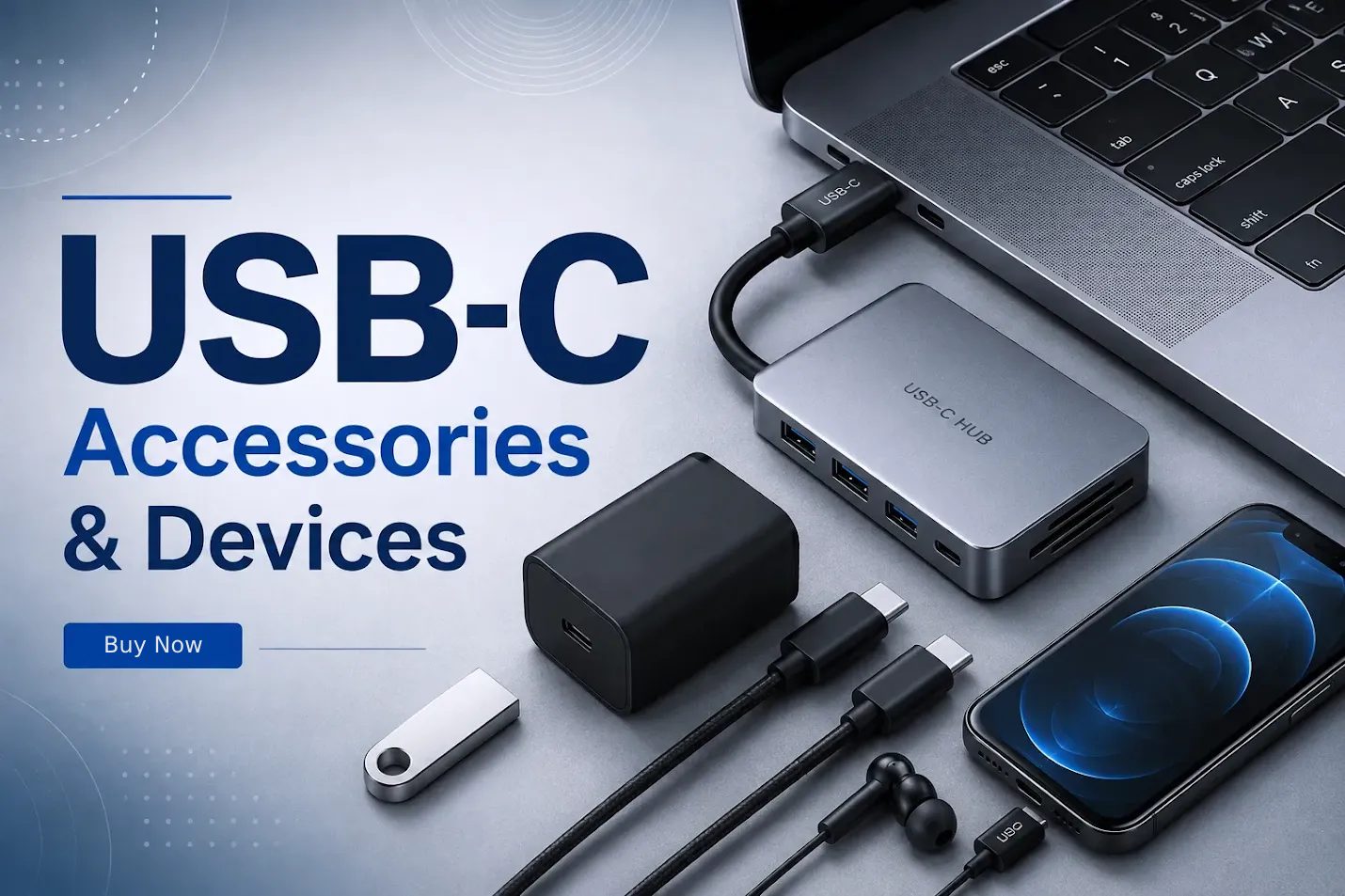
You buy a new laptop, plug in the charger that came with your old phone because it looks like it should fit, and — nothing happens, or it charges at a fraction of the speed you expected. Or you pick up a “universal” USB-C hub online, only to discover it doesn’t actually output video to your monitor. This mismatch between what USB-C promises and what any individual USB-C product actually does is one of the most common sources of frustration in modern electronics shopping, and it’s almost entirely avoidable once you understand a few basics.
USB-C has become the standard connector across laptops, phones, tablets, earbuds, and a growing list of peripherals. But “USB-C” describes a shape, not a fixed set of capabilities. Two cables can look identical and behave completely differently. This guide walks through what USB-C actually is, how it differs from older USB standards, and what to check before buying hubs, chargers, cables, or earbuds — so you stop guessing and start buying accessories that actually do what you need.
What Is USB-C?
USB-C refers to the physical shape of the connector: a small, oval, reversible plug that works no matter which way you insert it. That reversibility — no more flipping the cable three times to find the right orientation — is one of the main reasons it replaced older USB connectors so quickly.
But here’s the part that trips people up: the USB-C shape is just a housing. What that housing is capable of — charging speed, data transfer speed, video output — depends entirely on the internal wiring and the chipset behind it, not the shape of the plug. A device having a USB-C port tells you the plug will physically fit. It tells you almost nothing about what will actually happen once it’s plugged in.
This is why two USB-C cables that look identical off the shelf can behave completely differently — one might charge your laptop at full speed and transfer files quickly, while the other only trickle-charges a phone.
USB-C vs Traditional USB Connections
Before USB-C, most people dealt with USB-A (the rectangular connector on computers and chargers) and Micro USB (common on older Android phones and small electronics). Here’s how they compare:
| Feature | USB-A | Micro USB | USB-C |
| Connector shape | Rectangular, flat | Small, trapezoidal | Oval, symmetrical |
| Reversible | No | No | Yes |
| Common uses | Computers, chargers, older peripherals | Older phones, small electronics | Laptops, phones, tablets, earbuds, monitors |
| Charging capability | Standard, limited wattage | Low wattage | Supports high-wattage Power Delivery |
| Data transfer | Varies by USB version | Typically slower | Can support much higher speeds, depending on cable/device |
| Typical modern devices | Older PCs, some keyboards/mice | Legacy devices, budget accessories | Current laptops, smartphones, tablets |
The practical takeaway: USB-C isn’t just a newer shape — it’s a connector designed to carry more power and more data than its predecessors, but only when the cable, port, and device on both ends are built to take advantage of that.
What Does “USB With USB-C” Mean?
A lot of people searching for usb with usb c are trying to solve a very specific, everyday problem: they have an older USB-A device — a flash drive, a wired mouse, a keyboard — and a newer computer or tablet that only has USB-C ports.
Common scenarios where this comes up:
- Plugging a USB-A flash drive into a USB-C laptop that has no USB-A ports at all
- Connecting a USB keyboard to a USB-C tablet for typing-heavy work
- Using an older USB mouse with a USB-C computer
- Bringing older accessories — external hard drives, printers, card readers — onto a newer device
In most of these cases, you need either a simple USB-A-to-USB-C adapter (a small dongle) or a hub with multiple ports. Adapters work fine for single devices used occasionally. If you’re regularly connecting several older peripherals at once, a hub is the more practical long-term solution — which brings us to the next section.
What Is a USB-C Hub?
A USB-C hub plugs into a single USB-C port and splits it into multiple ports, letting you connect several devices — a monitor, an external drive, a keyboard, a charger — through one connection. This matters because many modern laptops only have two or three USB-C ports total, which isn’t enough once you factor in charging.
If you’re shopping for a usb hub with type c or a usb hub with usb-c output, the ports typically found on these hubs include:
- USB-A ports for older peripherals
- USB-C pass-through, often for charging
- HDMI for connecting an external monitor
- Ethernet for wired internet
- SD/microSD card slots for photographers and content creators
- Power delivery input, so the hub can charge your laptop while you’re using it
- Audio jack, on some models
Here’s the catch: not every hub includes every one of these. Some are simple 3-port adapters; others are full docking stations. Two hubs can look almost the same in a product photo and have completely different port selections. Before buying, check the exact spec list rather than assuming a “USB-C hub” automatically does everything you need — this single habit prevents most hub-related return requests.
USB-C Charging and Power Delivery
USB-C charging is built around a standard called USB Power Delivery (USB PD), which allows a cable to negotiate how much power to send based on what the connected device can safely accept. This is why the same USB-C charger can slow-charge a pair of earbuds and fast-charge a laptop — the devices and charger communicate to figure out the right power level.
A few things actually determine your real-world charging speed:
- Charger wattage — a charger rated for a phone won’t charge a laptop at full speed
- Cable capability — not every USB-C cable supports the same wattage, even if it fits
- Device support — the device itself has to be built to accept fast charging
If any one of these three is a weak link, you get slow charging, even though everything “fits.” This is also why using the correct, matched charger and cable matters — mismatched combinations aren’t usually dangerous, but they will leave you charging far slower than expected, or not charging a laptop at all.
Laptops With USB-C Chargers
Most laptops released in the last few years support charging through USB-C, but “supports USB-C charging” doesn’t mean every USB-C port on that laptop can charge it.
If you’re shopping for chargers for laptops with usb c charger ports, here’s what actually matters:
- Not every port charges. Many laptops designate only one or two of their USB-C ports for charging — the rest are data/video only.
- Wattage has to match or exceed the laptop’s requirement. A charger built for a phone (typically 18–20W) won’t come close to powering a laptop, which often needs 60–100W depending on the model.
- Cable quality matters as much as the charger. A high-wattage charger paired with a low-rated cable will bottleneck at the cable’s limit.
- USB-C Power Delivery certification is a reasonable signal of quality, though it’s worth checking the specific wattage rating rather than the certification alone.
Before buying a replacement or travel charger, check your laptop’s original charger wattage (usually printed on the brick itself) and buy a replacement rated at or above that number.
USB-C Earbuds and Audio Devices
USB-C is increasingly common in audio accessories, partly because more phones have dropped the traditional headphone jack, and partly because USB-C can carry digital audio directly rather than relying on a separate audio jack.
For earbuds with usb c, there are generally two categories:
- Wired USB-C earbuds, which plug directly into a phone or laptop’s USB-C port and use digital audio processing built into the earbuds themselves
- Wireless earbuds with a USB-C charging case, where USB-C is only used for charging, not audio transmission
Advantages include simpler charging (no need for a separate cable standard) and, for wired options, often better audio processing than a basic analog jack. The limitation worth knowing: wired USB-C earbuds are not universally interchangeable across every phone and laptop the way analog headphones were — some devices handle the digital audio handoff differently. If you use earbuds across multiple devices, it’s worth confirming compatibility with each one, particularly for older laptops or non-mainstream phone brands.
USB-C Cables — Are They All the Same?
No, and this is the single most misunderstood part of USB-C. The connector shape tells you a cable will physically fit — it says nothing about what the cable can actually carry.
Two cables that look identical can differ in:
- Charging speed — some cables are rated only for basic charging, others for full Power Delivery wattage
- Data transfer speed — ranging from basic USB 2.0 speeds up to much faster USB 3.2 or Thunderbolt-level speeds, depending on the cable’s internal construction
- Video support — only some cables carry a video signal (for connecting a laptop to a monitor, for example)
- Power delivery wattage rating — a cable might be capped well below what your charger can output
- Build quality — cheaper cables are more prone to failure under regular use, especially with thicker gauge wiring needed for higher-power charging
The practical fix: check the cable’s actual spec sheet — wattage rating and data speed — rather than assuming “USB-C” is a single, uniform standard. This is especially important if you’re buying a cable specifically for external drive transfers or connecting to a monitor.
How to Choose the Right USB-C Accessories
A short checklist before buying any USB-C accessory:
- Device compatibility — confirm the accessory is designed to work with your specific device, not just “any USB-C device”
- Port requirements — know exactly which ports you need (HDMI, Ethernet, SD card, etc.)
- Charging requirements — match wattage needs to what the accessory or cable actually supports
- Power rating — check the wattage rating printed in the specs, not just the marketing copy
- Data transfer requirements — if you’re moving large files regularly, prioritize cables/hubs rated for higher transfer speeds
- Display/video requirements — confirm video pass-through support if you’re connecting to a monitor
- Number of ports — count what you actually need before buying a hub with more (or fewer) than necessary
- Build quality — thicker, well-shielded cables tend to hold up better under daily use
- Cable length — longer cables can reduce charging/data efficiency slightly; buy the length you actually need
- Warranty and brand reliability — accessories with a reasonable warranty are worth the small premium, especially for hubs and chargers
Common USB-C Mistakes to Avoid
- Assuming every USB-C port on a laptop supports charging
- Assuming every USB-C cable has the same charging or data speed
- Buying a hub without checking its exact port list
- Ignoring the wattage rating when buying a charger or cable
- Assuming USB-C automatically means fast charging
- Buying earbuds or accessories without confirming compatibility with your specific device
- Using a low-quality cable for demanding tasks like external drive backups or monitor connections
Frequently Asked Questions About USB-C
What is USB-C used for? USB-C is used for charging, data transfer, and connecting to displays — it’s the standard connector across most current laptops, phones, tablets, and many accessories.
Is USB-C better than USB-A? USB-C generally supports faster data transfer, higher charging wattage, and a reversible design, but the actual advantage depends on the specific cable and device — not the connector shape alone.
Can I connect a USB-A device to a USB-C laptop? Yes, using a USB-A-to-USB-C adapter or a hub with USB-A ports.
Do all USB-C cables support fast charging? No. Fast charging depends on the cable’s wattage rating, not just whether it has a USB-C connector.
Can a USB-C hub charge a laptop? Some can, if the hub supports power delivery pass-through — check this specifically before buying, as not all hubs include it.
Are USB-C earbuds compatible with every device? Not always. Wired USB-C earbuds can behave differently depending on how a device handles digital audio, so it’s worth checking compatibility with your specific phone or laptop.
What should I look for in a USB-C hub? Check the exact port list (HDMI, Ethernet, SD card, USB-A, power delivery), rather than assuming all USB-C hubs offer the same features.
Can USB-C carry video? Yes, but only if both the cable and the device support video output over USB-C — not every USB-C cable does.
Are USB-C chargers universal? The connector fits universally, but wattage output varies, so a charger built for a phone may not properly charge a laptop.
How do I know which USB-C cable I need? Check the cable’s specification for wattage rating and data transfer speed, and match it to what your device and use case actually require.